
Lean in the Workspace
With Lean installed, a theorem and its proof are checked in the same document as the computations, and a computation can sit between two proof steps. Lean is chosen from the engine control beside the four CAS; it checks, and the CAS finds.
Learning Lean in the Workspace
Help > Tutorials > Lean 101 is a live tutorial that ships with the Workspace. Its thirteen sections go from expressions and types, through a first theorem, assumptions, several goals, rewriting, exact arithmetic, inequalities, existence and chains of equalities, to induction, and end in a project that explores with a CAS and certifies with Lean. Every input can be checked, edited and checked again.
A computation between two proof steps
The claim is that some integer satisfies n³ − 15n² + 23n + 231 = 0, and the
proof needs a witness. The theorem is first checked unfinished; a right-click on its
generated header, Insert CAS computation here, opens a SymPy line at that
point of the proof, where factor gives (x − 11)(x − 7)(x + 3) and so
7. Then use 7 and norm_num are added to the theorem, and Enter
checks it again. Lean does not take the CAS result as a proof: it checks the witness itself.
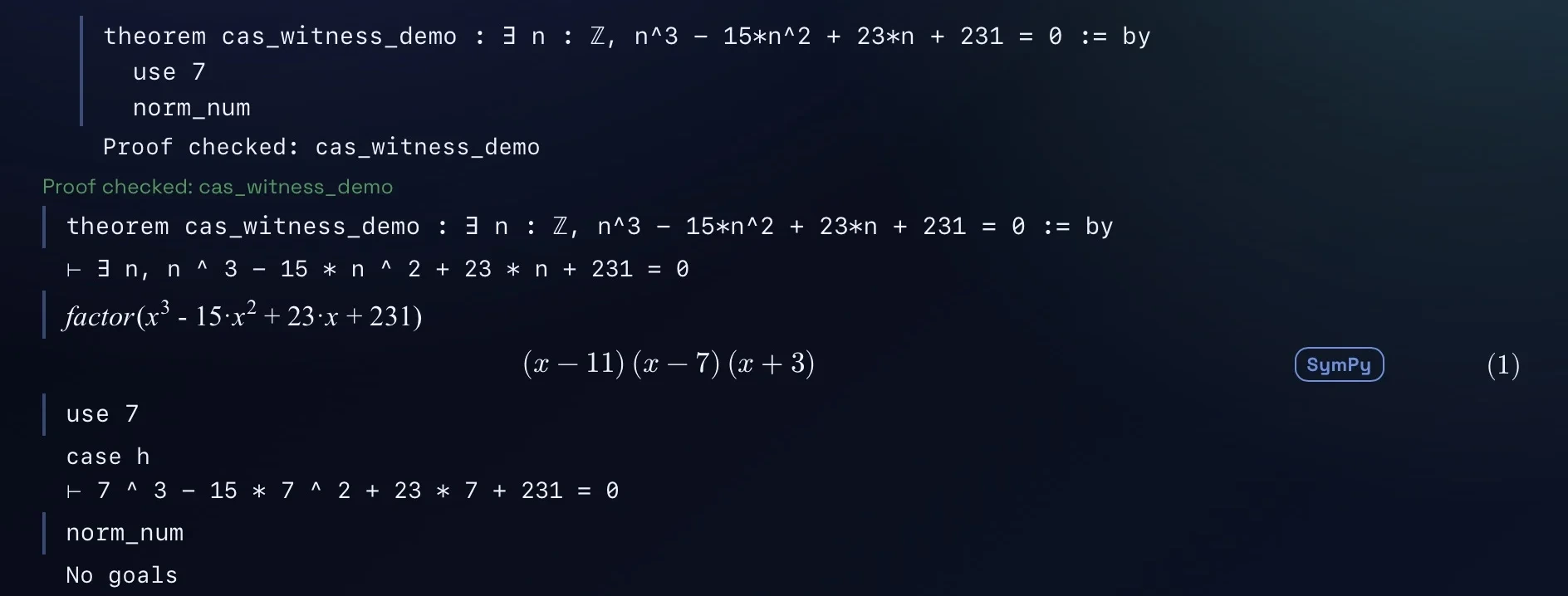
use 7; use 7 leaves the arithmetic, and norm_num closes it.The goals under each step
Enter checks a theorem and shows its proof as successive steps, as written, each with the goals that remain after it; some nested tactics are grouped into one step. A step can be edited in place: the edit changes the theorem, marks the proof Outdated, and Enter checks it again. After a hand edit of the theorem itself, the steps are read-only until it is checked again.
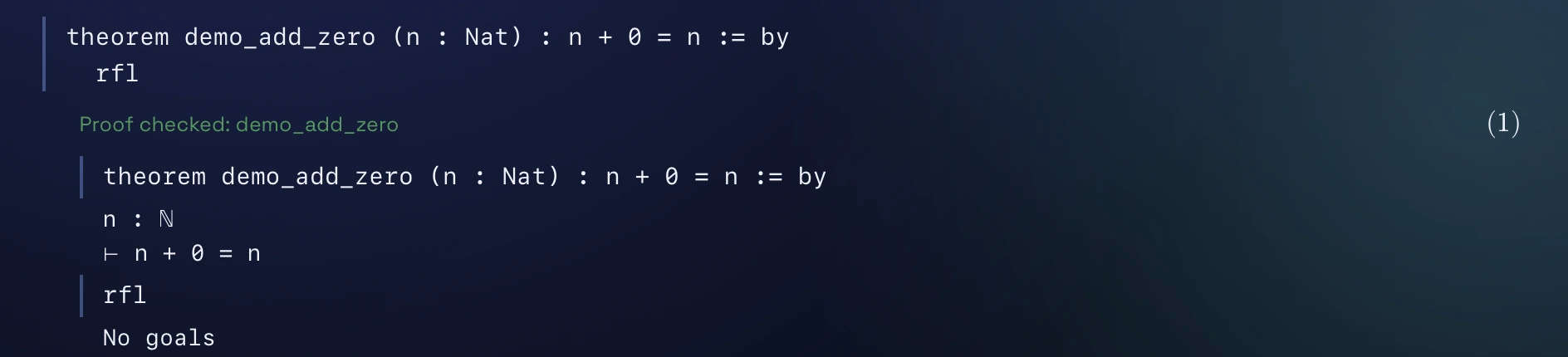
n + 0 = n under the theorem’s header; rfl closes it, and no goals remain.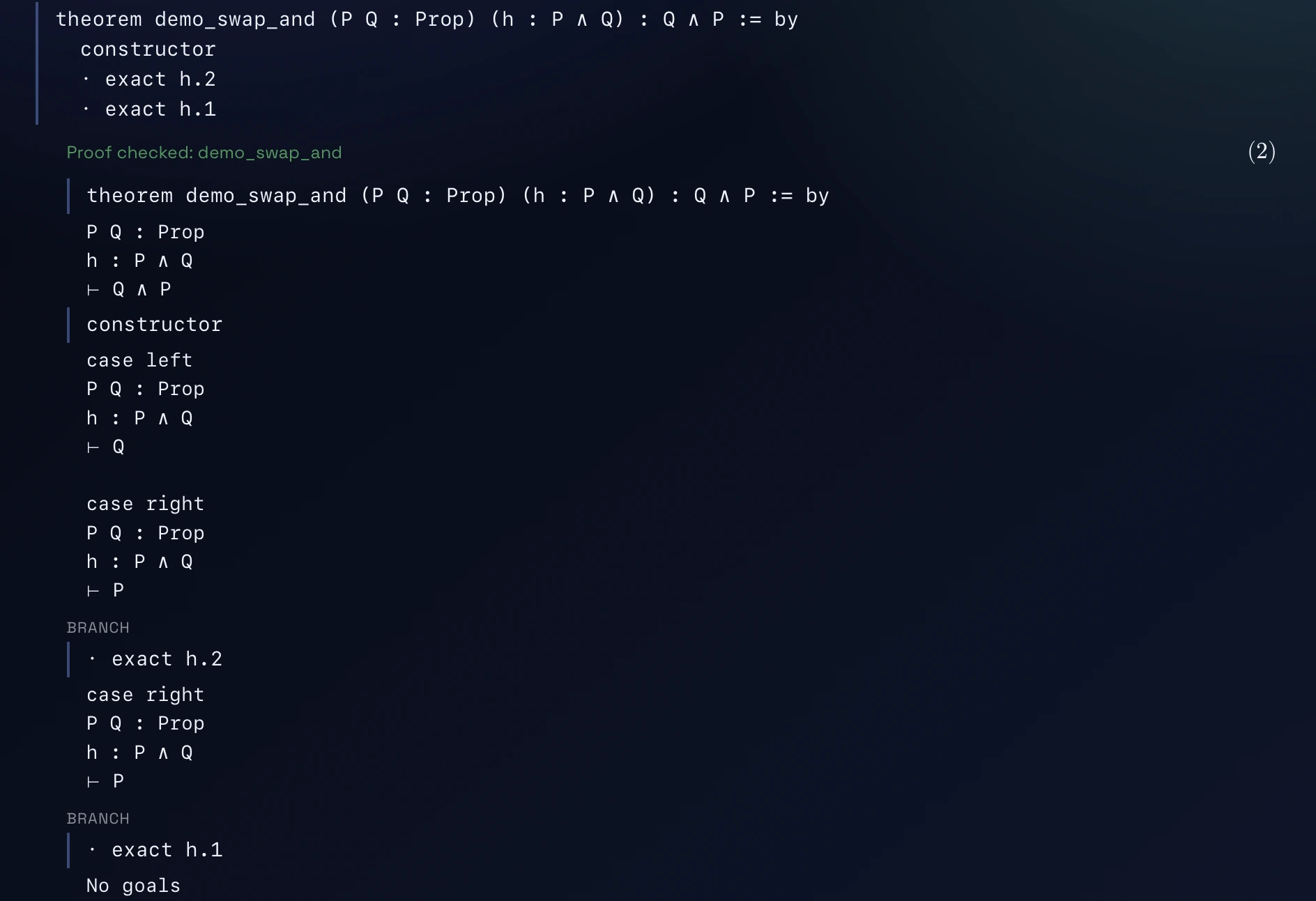
constructor splits the goal into two cases. The first bullet step closes one and leaves the other; the second closes it, and no goals remain.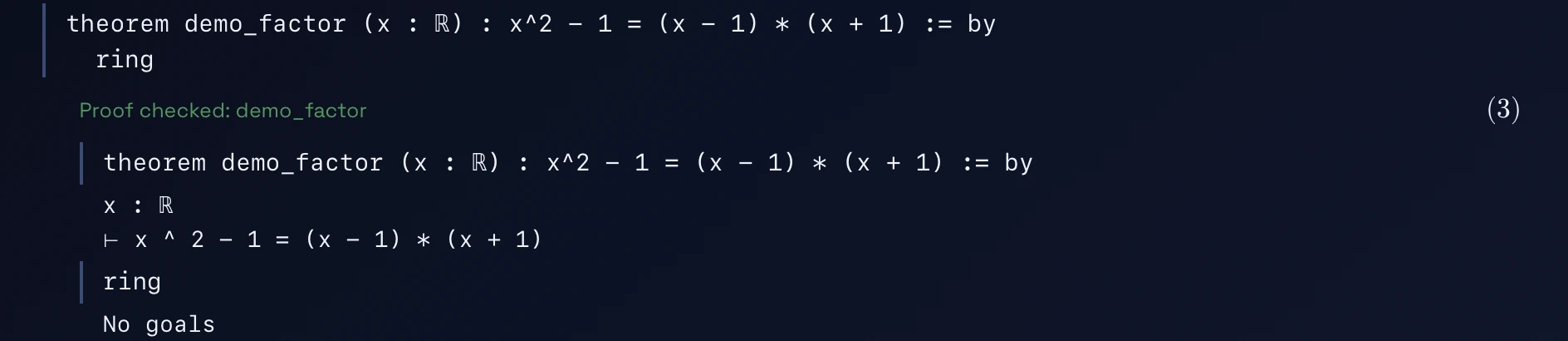
ring in one step.What “Proof checked” means
“Proof checked” appears for a complete proof, checked by Lean, with no
sorry anywhere it depends on. An unfinished proof shows its remaining goals; a
failure shows Lean’s own message on its line. A reopened document shows
“Saved check” until Enter checks it on this computer. .lean files open as Lean
documents, and a document exports to a .lean file with each CAS line as a
comment.
Lean is not bundled: Help > How to > Setting up Lean explains how to install it with its Mathlib library, which takes several gigabytes of disk; with Mathlib loaded, a Lean document also takes several gigabytes of memory.
VS Code and Workspace displays of the same proof
The same theorem and proof, lean_demo_add_zero, in both. Under Messages, InfoView lists Lean’s own message for the theorem, “Goals accomplished!”; the Workspace states the verdict as “Proof checked”, from the same evidence, and it also checks which axioms the proof uses.
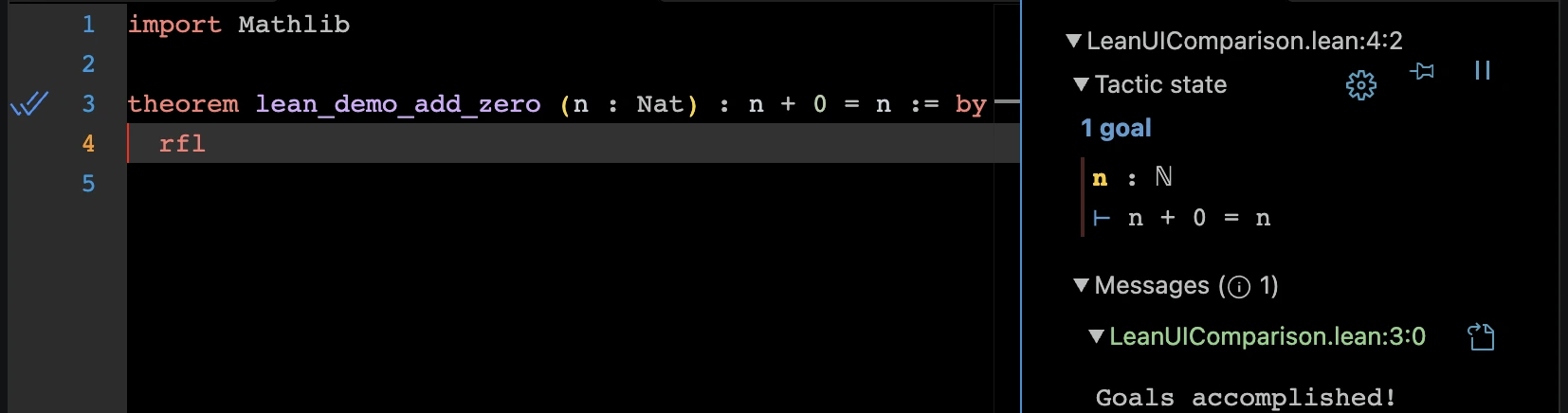
rfl: one goal, n + 0 = n.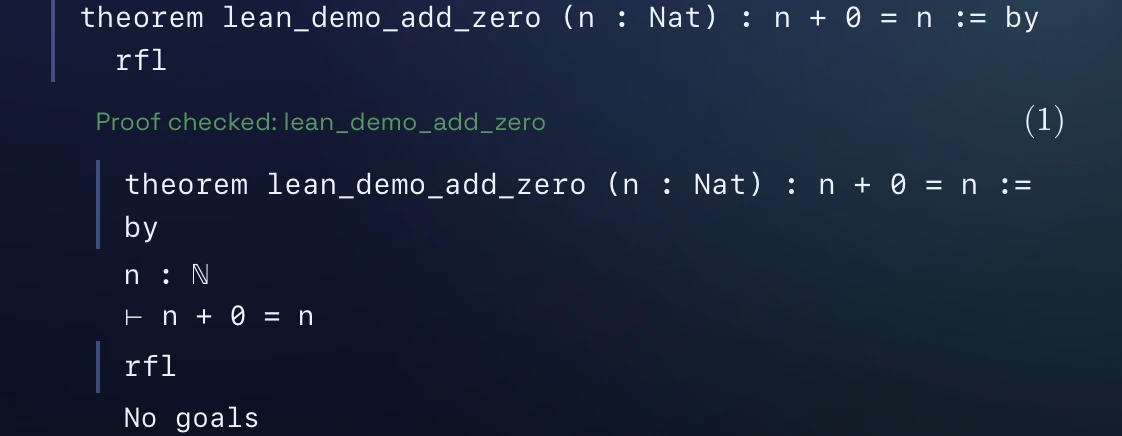
n + 0 = n, then rfl, then no goals.